
Chatbot That Reads Product Catalog
The bot reads WooCommerce directly
Products come from WooCommerce's own API, so the bot sees exactly what your shop page shows.
A shopper asks whether the grey hoodie is still there in L. The bot checks your WooCommerce catalog and answers in seconds — the real price, the real stock, and a product card the shopper can tap.
Reads your live catalog · No code · 30-day free trial, no credit card
Most store bots answer from a copy of your catalog taken who knows when. Time Saver Bot reads the shop itself.
Products come from WooCommerce's own API, so the bot sees exactly what your shop page shows.
Create, edit or delete a product and the bot knows moments later. The stock count falls the moment an order comes in. You pick the scope once — the whole catalog, or a single category with its subcategories.
"How much is it?" The bot gives the current price, and says when the item is on sale and what it normally costs.
"Two left in medium." When the last one goes, the bot says so instead of promising stock you no longer have — the shopper finds out in the chat, not at checkout.
"Is the grey one left in L?" The answer covers that exact variant, with its own price and its own stock: grey L on the shelf, black L sold out.
"Will it fit a parcel locker?" The bot gives the weight and the size of the box, straight from the product.
Photo, brand, category, SKU and rating — sent as a card with a button through to the product page.
By brand, by product code, by category — not only by the exact product name you typed into WooCommerce.
A budget instead of a product name. The bot filters your catalog by price and shows what fits.
Sold-out items simply do not come up — the shopper only ever sees what you can actually send today.
The bot compares the options and lists them the way the shopper asked.
46 languages, detected from the first message. Prices, SKUs and brand names still come back exactly as they are.
Shipping, returns and payment questions are answered from the pages you already wrote.
Shipping, returns, payment and size guides. Edit a page and the bot picks the edit up.
No answer is ever pulled off the internet. A question your pages do not cover goes to your team as a lead instead of getting an invented reply.
A contact left at 2am is waiting for you in the morning with the whole conversation attached, and downloads as an Excel file when you need it elsewhere.
Switch on live operators and the same widget becomes your live chat, with the history already there.
Real conversations from a live WooCommerce catalog.
Tap any screenshot to enlarge
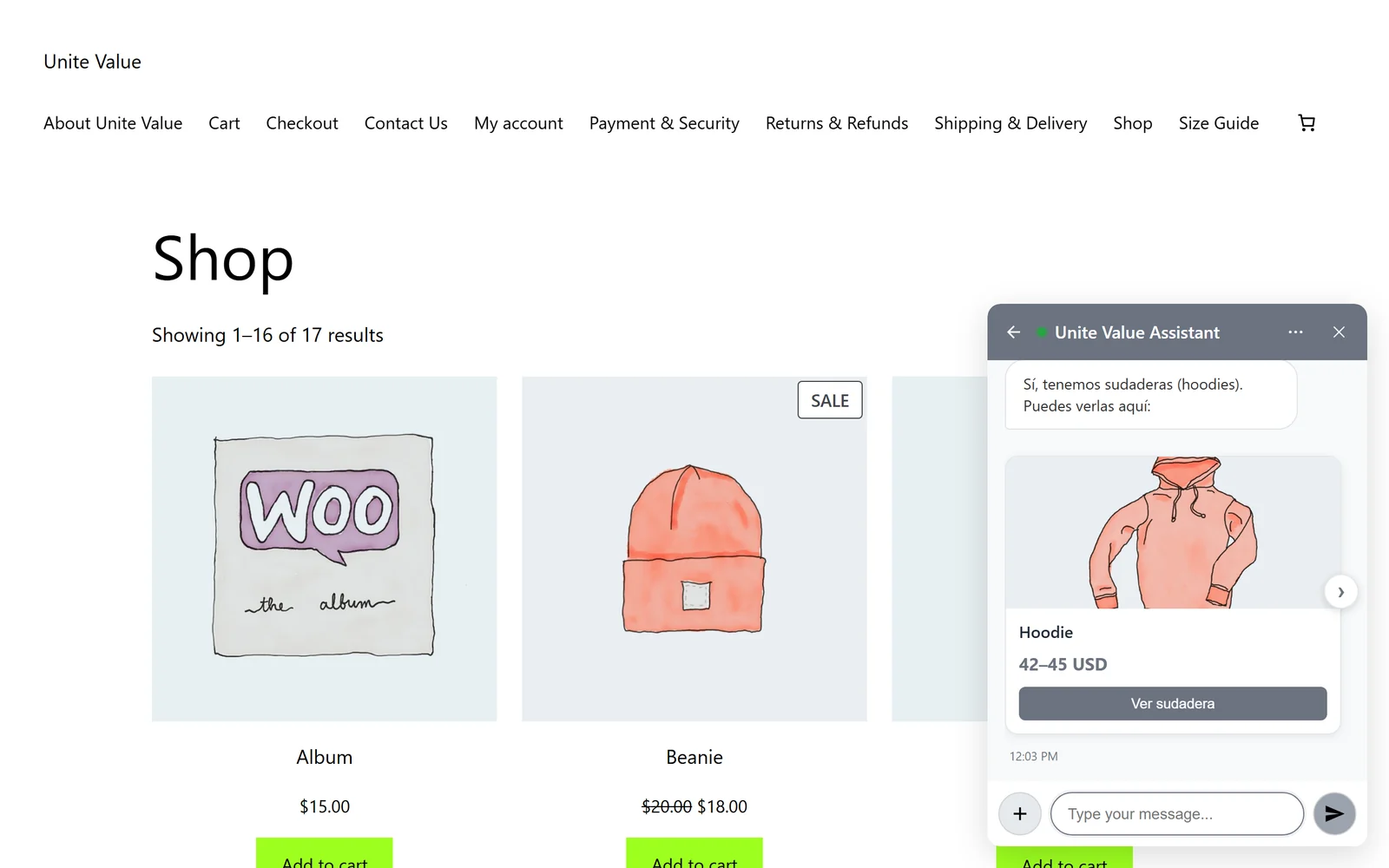
A shopper asks in Spanish — the bot answers in Spanish and sends a product card from the WooCommerce catalog, button and all.
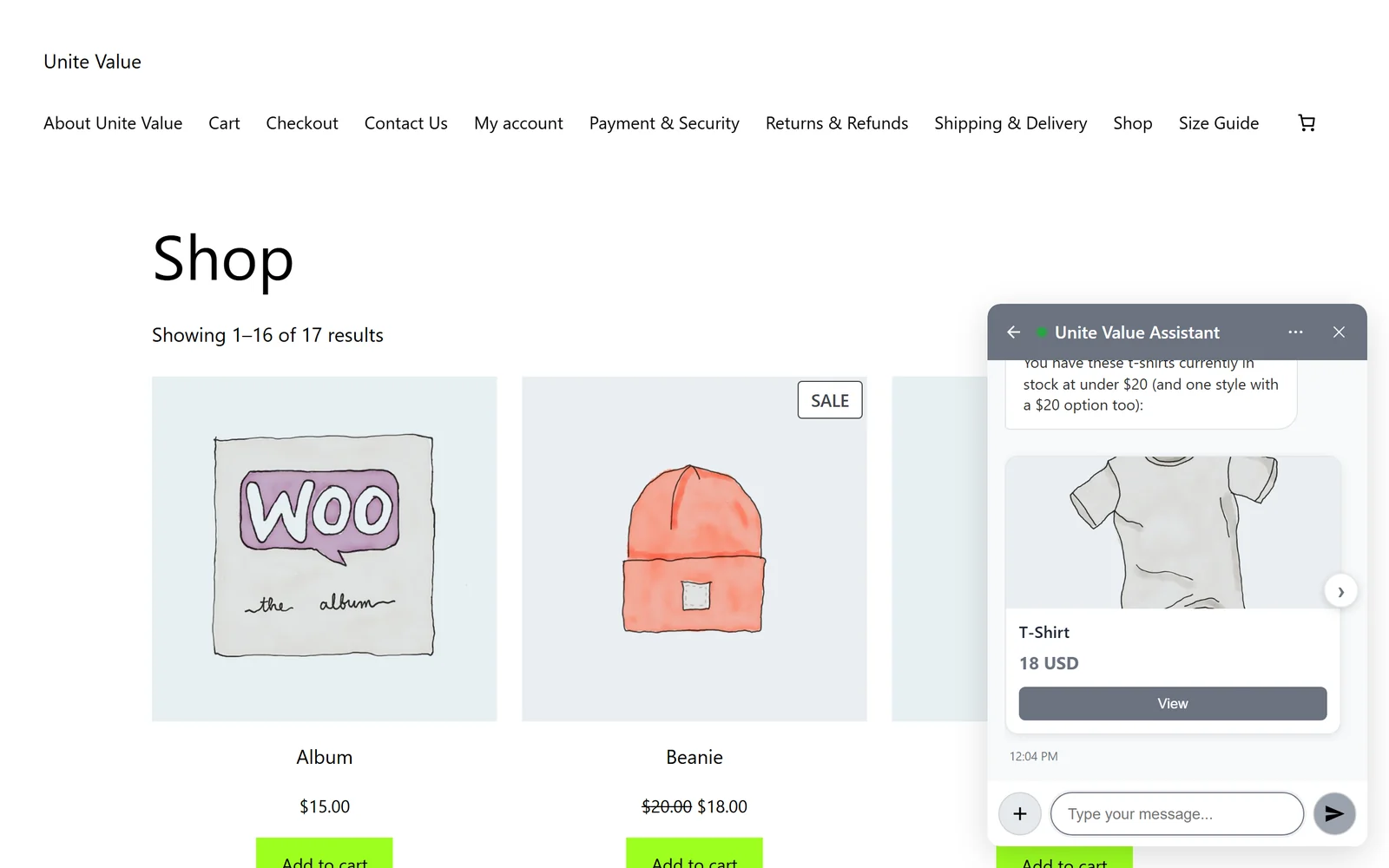
"T-shirts under $20 in stock?" — the bot filters the catalog by price and availability and shows what is left.
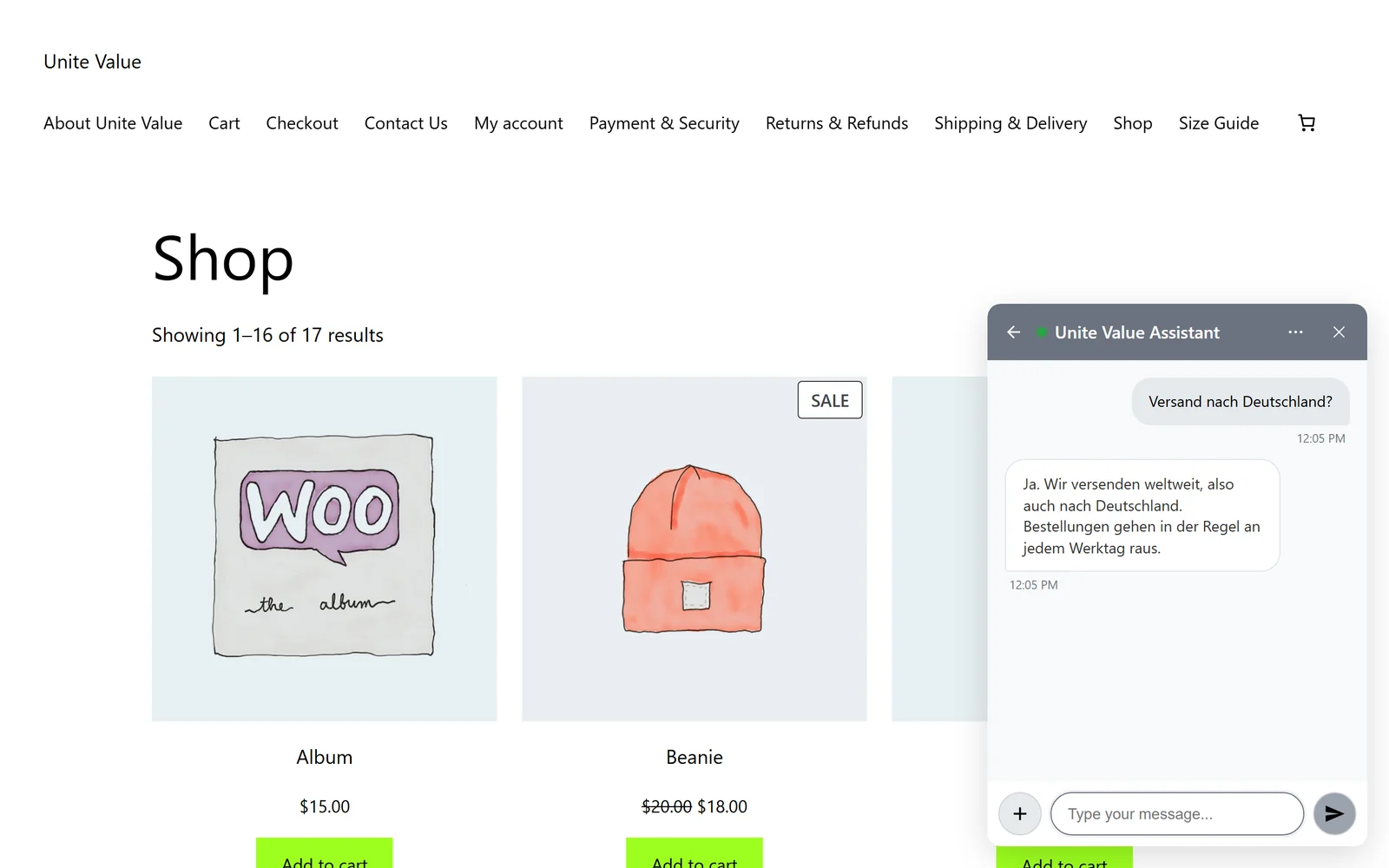
A shipping question in German, answered from the store's own delivery page.
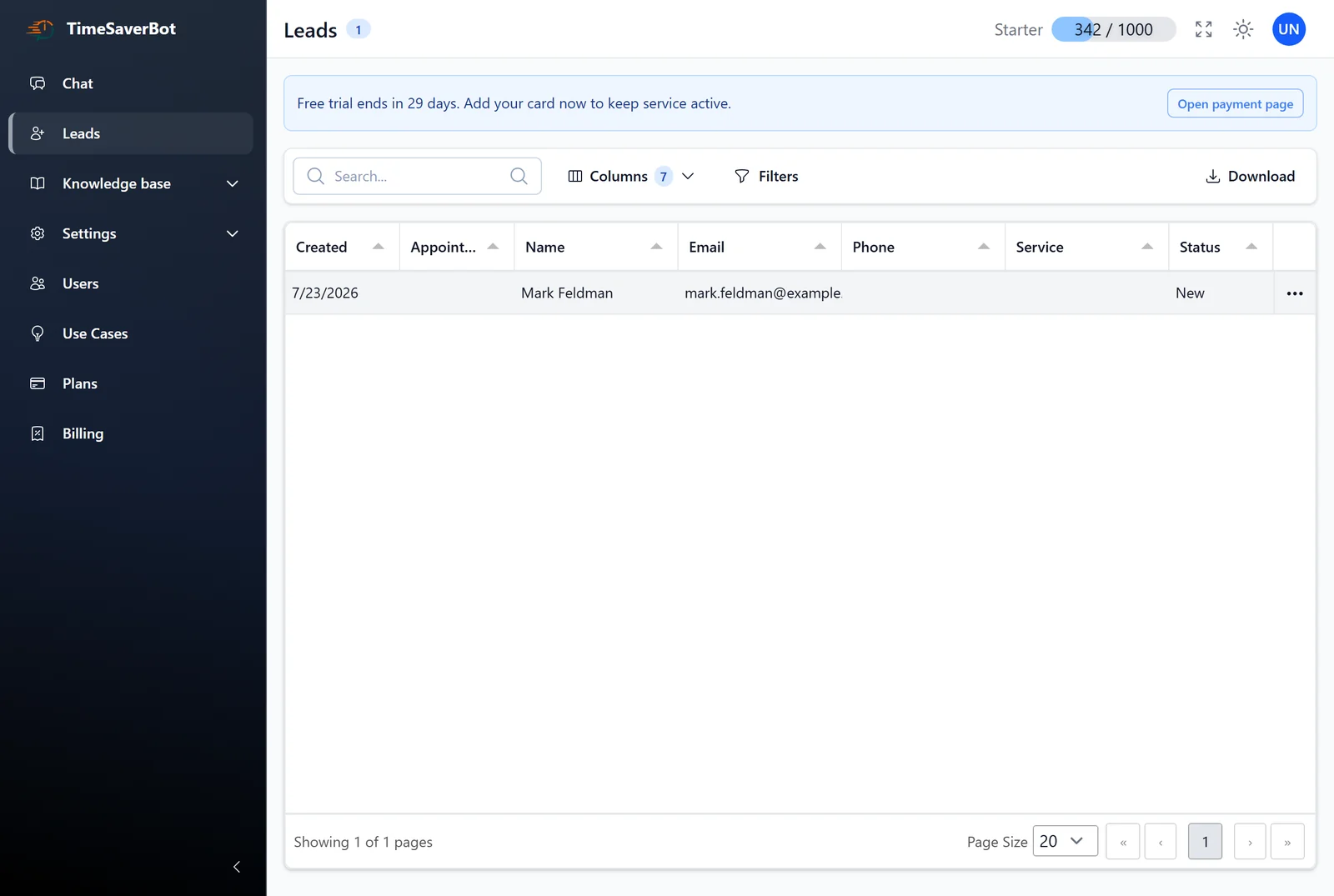
The Leads screen in wp-admin: name, contact, source and the date the bot captured it.
Free your day from repetitive customer routine.
For solo teams launching live chat and basic automation
One pool. Spend it on any mix of:
Extra credits — $0.026 each
To scale support and improve customer satisfaction
One pool. Spend it on any mix of:
Extra credits — $0.025 each
All from Starter, plus:
Higher limits, additional integrations and advanced options
One pool. Spend it on any mix of:
Extra credits — $0.021 each · custom volume available
All from Growth, plus:
Managed service with implementation and continuous AI support
One pool. Spend it on any mix of:
Extra credits — $0.020 each · custom volume available
All from Plus, plus:
Every plan gives you one monthly pool of credits, and each bot reply draws from that same pool: an AI text conversation costs 10 credits, a button bot conversation 1 credit, a voice conversation 100 credits, and 1,000 embeddings 1 credit. The numbers in each plan are alternatives, not extras — 1,000 credits is 100 AI conversations or 1,000 button conversations or 10 voice conversations, in any combination. When the pool runs out, extra credits are billed at your plan's credit price.
Catalog sync, variations, setup — what store owners ask us first.
From WooCommerce, read through its own API by the Time Saver Bot plugin for WordPress. Nothing is typed in twice: the product you publish is the product the bot talks about.
Changes sync automatically when you create, edit or delete a product — including stock dropping because a customer placed an order. You can also re-import the whole catalog, or a single category, from the admin panel.
Yes. Every variation comes across with its own price and its own stock. So a question about one color in one size gets an answer about that exact variant, not about the product in general.
No. There is no key field in the plugin and no OpenAI account to open — the AI runs on the Time Saver Bot platform.
WooCommerce is optional. The bot still answers from your pages and your FAQ; only the catalog answers described here need WooCommerce.
About five minutes. Activate the plugin, pick the pages the bot learns from — your catalog imports at the same time — and choose a bot. No code, no theme edits.
The plugin is free on WordPress.org · The service is free for 30 days, no credit card
Get the Plugin on WordPress.orgor explore